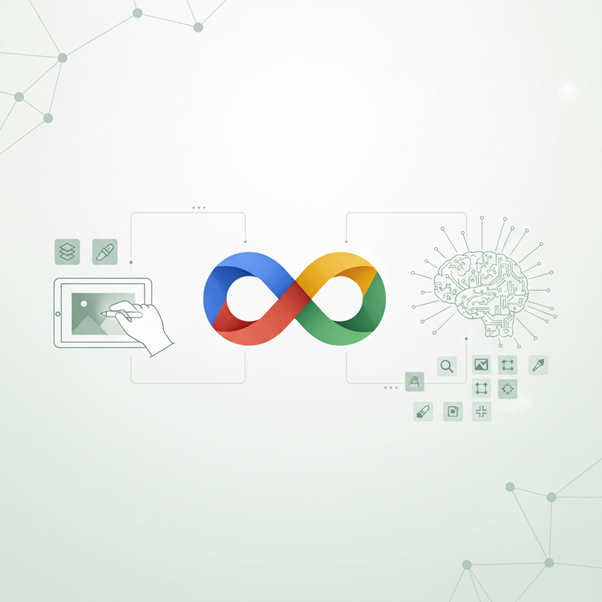
Revolutionizing Image Editing: Exploring Google's Gemini
Tool
Introduction to Google Gemini
In the ever-evolving world of digital creativity, Google's
latest innovation, Gemini, stands out as a game-changer in the
realm of image editing. This cutting-edge application integrates advanced AI
technology to empower both casual users and professionals to enhance
their images with unprecedented ease. As artificial intelligence continues to
reshape industries, Gemini exemplifies the significant impact that AI brings to
the creative process, making intricate image modifications accessible to
everyone.
Introduction to Google Gemini
# The Significance of AI in Image Editing
AI has swiftly transitioned from a futuristic concept to an
essential tool in various fields, and image editing is no exception. With its
capability to analyze, interpret, and reproduce images, AI simplifies and
elevates the editing process, allowing users to achieve complex aesthetic
adjustments in seconds. Gemini harnesses this potential, minimizing the steeper
learning curve associated with traditional editing software. Advanced
AI Capabilities
Advanced
AI Capabilities
# Key Features of Gemini
Gemini encompasses a range of exciting features that
leapfrog traditional editing tools, such as:
- AI-Powered
Modifications: Change elements within an image using intuitive
text prompts.
- The
Nano Banana Model: A revolutionary capability to maintain
likenesses while applying diverse styles and changes.
- Support
for High Resolutions: Capability to output in 2K and 4K
resolutions, ideal for professional specifications.
 User-Friendly
Interface
User-Friendly
Interface
Advanced AI Capabilities
At the core of Gemini's appeal is its advanced AI capabilities,
which allow for the seamless integration of editing tasks that were once
time-consuming or prohibitively complex for the average user.
# Streamlining the Editing Process
Gemini leverages this advanced AI to facilitate
user-friendly modifications. Users can simply describe the desired changes—like
"Make this chair red" or "Add a sunset in the
background"—allowing technology to handle the intricate details. No more
fiddling with sliders or post-processing techniques; it’s as straightforward as
having a conversation.
# The 'Nano Banana' Model
A standout feature of Gemini is the Nano Banana
model. This innovative AI model not only enables users to implement style
changes but also preserves the details of personal features, ensuring that
individuals remain recognizable even after extensive modifications. Imagine
changing outfits, backgrounds, or even facial attributes while maintaining the
unique essence of the subject—this is the power of Nano Banana.
User-Friendly Interface
One of the most striking elements of Gemini is its user-friendly
interface. Designed with simplicity and accessibility in mind, the app
makes image editing approachable for users across all skill levels.
# Ease of Uploading and Integrating Images
Gemini allows users to easily upload their images with a
straightforward drag-and-drop function along with integrations from various
cloud storage services. This ease of access facilitates a smooth workflow,
ensuring users can focus on the creative aspects rather than troubleshooting
technical barriers.
# Multi-Turn Conversational Editing
Navigating the editing process is virtually seamless. Gemini
supports multi-turn conversations, letting users refine their edits
interactively. For instance, you can request a change, see the result, and
refine your request further—almost like having a back-and-forth dialogue with a
capable editor.
Feature Highlights of Gemini
Gemini's feature set is rich and diverse, catering to a wide
array of image editing needs.
Best AI Image Editor? Google's Gemini 2.0 Image Editing FULL
TUTORIAL
# Editing Uploaded Images vs. AI-Generated Images
Users can edit both uploaded and AI-generated images,
providing expanded creative possibilities. Imagine generating a base image
AI-generated and then layering on personal touches—this versatility enhances
the creative potential for both personal projects and professional pursuits.
# Background Changes and Object Replacements
Gemini shines when it comes to more advanced edits like
background changes or object replacements. Need a new skyline or to replace a
pet in a family photo? With just a few simple commands, those modifications
become nearly effortless.
# Maintaining Likeness with the Nano Banana Model
Thanks to the Nano Banana model, changes can be
applied without sacrificing the individuality of a subject. This is especially
valuable for professions like photography, where maintaining authenticity is
crucial, particularly with images containing people or beloved pets.
High-Resolution Support
In professional contexts, the importance of high-resolution
support cannot be overstated. Gemini's capabilities include 2K and 4K
output options, crucial for delivering content that meets industry standards.
Whether it's for a magazine feature, a website banner, or a high-quality
printout, users can ensure that the end result is sharp and impactful.
# Impact on Editing Quality
High-resolution outputs not only enhance the visual quality
but also preserve intricate details, lending professionalism to every image.
For content creators, marketers, and graphic designers, such capabilities are
indispensable.
# Use Case Scenarios for Professional Editing Needs
Consider a scenario where a graphic designer needs to
develop promotional images that maintain clarity across various devices and
screens; Gemini’s high-resolution support allows them to deliver flawless
visuals every time.
Transparency and Authenticity in AI-Generated Content
As the role of AI in creative fields grows, so do concerns
about authenticity and misinformation. Google addresses this through digital
watermarks, ensuring transparency in AI-generated content.
# SynthID Digital Watermarks
All images created or modified through Gemini use an invisible
digital watermark known as SynthID. This system has
successfully watermarked over 20 billion items since its
launch in 2023, significantly contributing to the fight against AI
misinformation.
# Visible Watermarks and Ethical Concerns
Currently, Google is testing visible watermarks for
AI-generated content to further bolster transparency. As editing technologies
evolve, maintaining authenticity in the digital art landscape remains
essential. Knowing that an image has been generated or modified by AI fosters
trust between creators and their audiences, which is vital in today's
content-saturated environment.
Conclusion
Google's Gemini app represents a paradigm shift in the
landscape of image editing. By harnessing the capabilities of advanced AI, it
transforms the way we create and modify images, making high-quality editing
accessible to all. From personal projects to professional endeavors, Gemini
empowers users to express their creativity without the traditional barriers of
complex software.
As we look to the future, the integration of AI in creative
processes will likely deepen, promising even more innovative tools tailored for
artists and marketers alike. Whether you're an aspiring influencer, a business
in need of eye-catching content, or simply someone looking to refine personal
photos, give Google Gemini a try. The future of image editing
is here, and it’s incredibly exciting!